


In-desk Power Modules Vs. Traditional Power Strips: Which Is Better?
Power access at the workplace has evolved well beyond the wall outlet and a trailing extension cord. Today, facility managers and furniture buyers choose between two distinct approaches: in-desk power modules that integrate directly into the work surface, and traditional power strips that sit on the desk or floor. Both deliver electricity to devices, but their differences in safety, aesthetics, cable management, and long-term cost are substantial.
This article compares in-desk power modules and traditional power strips across every dimension that matters to commercial buyers, from electrical safety standards to total cost of ownership. The goal is to provide an objective, evidence-based reference that helps buyers decide which solution fits their specific environment — whether that is an open-plan office, a conference room, a hotel room, or a temporary workspace.
In-desk power modules integrate flush into furniture, eliminating cable clutter and trip hazards.
Traditional power strips are lower in upfront cost but create visible cable mess and overload risks.
Safety depends on certification — look for IEC 60884, UL 498, CE, or equivalent marks on either product type.
Modern in-desk modules include USB-C PD up to 140W, USB-A, and AC outlets in one compact unit.
For permanent commercial installations, in-desk power modules offer lower total cost of ownership over 5+ years.
Power strips remain practical for temporary, home, or budget-limited setups where furniture integration is not feasible.
The best choice depends on use case: offices and conference rooms favor in-desk modules; temporary and residential setups often use power strips.
Cutout Size
per Port
Rating (IEC 60884)
Current Rating
What Are In-Desk Power Modules?
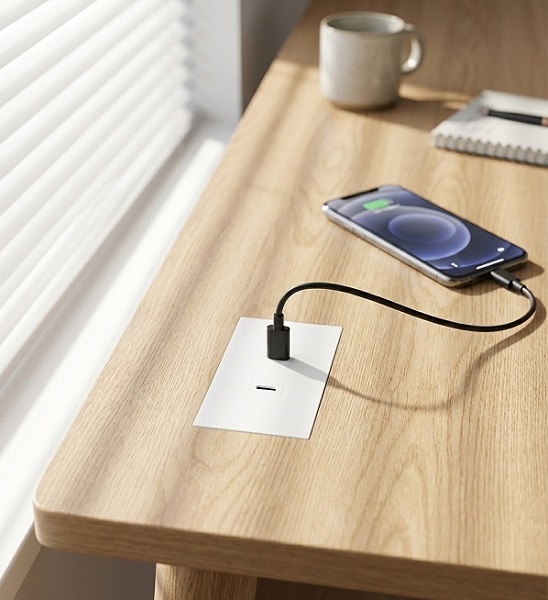
In-desk power modules are electrical outlet units designed to be installed flush into a desk, conference table, countertop, or other furniture surface. Rather than sitting on top of the work area, they are recessed into a pre-cut opening, with only the outlet face visible at surface level. Wiring runs beneath the desk, out of sight.
A typical in-desk power module combines several connection types in one compact housing:
AC power outlets — Schuko, UK, US, or universal socket types, rated 10A to 16A.
USB charging ports — USB-C Power Delivery (PD) from 20W to 140W, and USB-A ports for older devices.
Data ports — HDMI, DisplayPort, RJ45 network, or audio jacks in multimedia-equipped models.
Wireless charging — some pop-up or lid-style modules include a Qi charging pad.
The most common form factor is the 45mm euro module, a standardized cutout size that allows interchangeable socket and USB inserts from a compatible system. Larger rectangular modules (80mm to 120mm) accommodate more ports and are often used in conference tables. Installation methods include snap-in (for thin desk tops), screw-mount (for thicker surfaces), and clamp-on (for retrofit without cutting).
Because in-desk power modules are permanently integrated into furniture, they are typically specified during the furniture procurement phase or as part of a planned office renovation. They are common in corporate offices, co-working spaces, hotels, university lecture halls, and healthcare facilities where a clean, professional appearance is a priority.
What Are Traditional Power Strips?
A traditional power strip is a free-standing electrical device with a row of AC outlets mounted on a plastic or metal housing, connected to a wall outlet by a power cord. It is the most widely recognized method of expanding outlet availability and is found in homes, offices, workshops, and temporary workspaces worldwide.
Power strips range from basic models with four to six outlets to advanced units with surge protection, USB charging ports, individual switches, and overload circuit breakers. They are available in cord lengths from 1 meter to 5 meters and are designed to sit on a desk, mount under a desk, or lie on the floor.
The primary advantages of power strips are low cost, portability, and immediate availability. They require no furniture modification and can be moved or replaced easily. However, these same characteristics — being free-standing and cord-connected — create the limitations that in-desk power modules are designed to solve.
Core Comparison: Side by Side
The table below summarizes the principal differences between in-desk power modules and traditional power strips across the criteria that most affect purchasing decisions.
| Criterion | In-Desk Power Modules | Traditional Power Strips |
|---|---|---|
| Installation | Requires furniture cutout; permanent or semi-permanent | Plug-and-play; no modification needed |
| Aesthetics | Flush with surface; clean, professional look | Visible housing and cords; utilitarian appearance |
| Cable Management | Wiring concealed under desk; minimal visible cable | Cords and strip visible; prone to tangling |
| Safety (Trip Hazard) | No floor cords; low trip risk | Floor cords create trip hazards |
| Port Types | AC + USB-C PD + USB-A + data (configurable) | Mostly AC; some include basic USB |
| USB-C Power | Up to 140W PD per port (laptop charging) | Typically 18W–30W (phone/tablet only) |
| Overload Risk | Fixed outlet count; less likely to be daisy-chained | Frequently daisy-chained; higher overload risk |
| Upfront Cost (per unit) | Higher (USD 25–80+ depending on configuration) | Lower (USD 5–30) |
| Typical Lifespan | 5–10 years (commercial-grade) | 2–5 years (consumer-grade) |
| Best For | Permanent offices, conference rooms, hotels | Temporary setups, home offices, budget projects |
Safety: Standards, Fire Risk, and Overload
Electrical safety is the most critical factor in any power distribution product. Both in-desk power modules and power strips must comply with applicable safety standards to be sold in commercial markets. The key international standards include IEC 60884-1 (plugs and socket-outlets for household and similar purposes), UL 498 (attachment plugs and receptacles in North America), and the harmonized European EN 60884 series. Products bearing CE, UKCA, or equivalent marks have been assessed against these or related standards.
Why Power Strips Present Higher Fire Risk
Traditional power strips are involved in a disproportionate number of electrical incidents in workplaces and homes. The primary risk factors are:
Daisy-chaining — connecting one power strip to another to gain more outlets, which exceeds the current rating of the first strip and its supply cord.
Overloading — plugging multiple high-wattage devices (heaters, kettles, monitors) into a single strip rated for 10A or 13A. At 220V, a 10A strip carries a maximum of 2,200W; a 1,500W heater plus a 1,000W microwave already exceeds this limit.
Damaged cords — power strips on the floor are subject to foot traffic, chair wheels, and bending, which can crack insulation and expose conductors.
Non-flame-retardant enclosures — budget power strips may use plastics that do not meet the glow-wire or needle-flame tests required by IEC 60884.
Electrical safety organizations consistently warn against daisy-chaining and overloading. Fire safety data shows that electrical distribution equipment, including extension cords and power strips, is a leading category of ignition source in non-residential building fires. In-desk power modules reduce these risks because they are permanently wired, have a fixed number of outlets, and are not typically daisy-chained.
Safety Certifications to Require
Regardless of which product type is chosen, buyers should verify the following:
| Certification / Standard | Region | What It Covers |
|---|---|---|
| IEC 60884-1 / EN 60884-1 | Europe / International | Household plugs and sockets: electrical safety, mechanical strength, temperature rise, flame resistance |
| UL 498 / CSA C22.2 | North America | Attachment plugs, receptacles, and power taps for use in North America |
| CE / UKCA | EU / UK | Declaration of conformity to applicable EU/UK directives (LVD, EMC, RoHS) |
| IEC 62368-1 / GB 4943.1 | IT / AV equipment | Safety of information and communication technology equipment, including USB power delivery circuits |
| RoHS / REACH | EU / Global | Restriction of hazardous substances in electrical and electronic equipment |
Aesthetics and Cable Management
The visual difference between an in-desk power module and a power strip is immediately apparent. In-desk modules sit flush with the furniture surface, with only the outlet face visible. The supply cable runs through a desk grommet or along a cable tray beneath the work surface, completely out of sight. This creates a clean, uncluttered workspace that is particularly valued in client-facing areas such as conference rooms, hotel lobbies, and executive offices.
Traditional power strips, by contrast, are inherently visible. Even when mounted under a desk, the strip housing and its connecting cord remain in view, and device power cords drape from the strip to the equipment above. In open-plan offices, this creates a web of cables that accumulates dust, complicates cleaning, and looks unprofessional.
Cable Clutter and Workplace Impact
Beyond appearance, cable clutter has practical consequences. Tangled cords make it difficult to identify which plug belongs to which device, slowing IT troubleshooting and equipment swaps. Dust trapped in cable bundles can become a fire accelerant. And floor-level power cords are a recognized trip hazard, which is why occupational safety authorities recommend securing or concealing electrical cords in workplaces.
In-desk power modules address all of these issues by routing power to the point of use through the furniture itself, eliminating the need for a visible strip and its trailing cord.
Charging Capability: USB-C and Device Power
The rise of USB-C as a universal charging standard has changed what users expect from a workplace power outlet. Modern laptops, tablets, and phones charge over USB-C Power Delivery, and many no longer include a traditional AC power adapter. In-desk power modules have adapted quickly, with current models offering USB-C PD ports ranging from 20W to 140W — enough to charge laptops directly from the desk surface.
| Feature | In-Desk Power Modules | Traditional Power Strips |
|---|---|---|
| USB-C PD Output | 20W – 140W per port | Typically 18W – 30W (rarely above 65W) |
| USB-A Ports | Common, 5V/2.4A or QC3.0 | Common on mid-range models |
| Laptop Charging via USB-C | Yes (65W–140W ports) | Rare; most require AC adapter |
| Wireless Charging | Available on pop-up/lid models (Qi) | Not typical |
| Data Ports (HDMI/DP/RJ45) | Available on multimedia modules | Not available |
| AC Outlet Count | 1–4 (space-limited by module size) | 4–12 (more outlets per unit) |
For users who need to charge a laptop, monitor, and phone simultaneously, an in-desk module with a 140W USB-C PD port and additional USB-A ports can replace the need for separate chargers entirely. Power strips with USB ports are generally limited to phone and tablet charging, meaning users still need their laptop AC adapter plugged into an AC outlet.
Installation and Flexibility
In-Desk Module Installation
Installing an in-desk power module requires a cutout in the furniture surface. The standard 45mm euro module format uses a 45mm × 45mm or 22.5mm × 45mm opening, which can be cut with a router or hole saw. Larger rectangular modules require template-guided cutting. Once the opening is prepared, the module snaps or screws into place, and the supply cable is routed through a desk grommet to a power source below.
Retrofit installation is possible in most existing desks, provided the desktop thickness (typically 16mm to 40mm) and under-desk clearance are compatible with the module housing. Clamp-mount modules offer a no-cut alternative for desks where drilling is not permitted. The electrical connection can be a simple plug into a nearby floor outlet or a hardwired connection to a building circuit, depending on local code requirements.
Power Strip Installation
Power strips require no installation beyond plugging into a wall outlet. They can be placed on the desk, mounted with adhesive or screws under the desk, or simply laid on the floor. This flexibility is their greatest advantage in temporary or rental spaces where modifying furniture is not allowed. However, the same portability means they can be moved, knocked off desks, or have their cords damaged by chair wheels and foot traffic.
Durability and Expected Lifespan
Commercial-grade in-desk power modules are built for high-cycle use in public and workplace environments. The socket contacts are typically rated for a minimum of 5,000 insertion cycles under IEC 60884-1, and the enclosures use flame-retardant engineering plastics (often PC+ABS or nylon) that resist impact and UV degradation. Because the module is recessed into furniture, it is protected from bumps, spills, and daily wear that would damage a free-standing strip.
Consumer-grade power strips use thinner plastic housings and lighter internal components. Their cords are subject to bending and abrasion on the floor. In a commercial environment with daily plugging and unplugging, a typical power strip may show loose contacts or casing damage within two to three years. Surge-protected strips have a finite lifespan as well — their metal oxide varistor (MOV) components degrade with each surge event and eventually lose protective capability without visible indication.
Cost Analysis: Upfront Price vs. Total Cost of Ownership
The upfront price difference is the most commonly cited reason for choosing power strips over in-desk power modules. A basic power strip costs a fraction of a configured in-desk module. However, when replacement frequency, maintenance labor, and the cost of cable management accessories are included, the total cost of ownership narrows considerably over a multi-year period.
| Cost Factor | In-Desk Power Module | Traditional Power Strip |
|---|---|---|
| Unit Purchase Price | USD 25 – 80 (varies by port config) | USD 5 – 30 |
| Installation Cost (per unit) | USD 10 – 30 (cutout + wiring) | USD 0 (plug-in) |
| Replacement Cycle | 5 – 10 years | 2 – 5 years |
| Cable Management Accessories | Minimal (integrated) | USD 5 – 15 per desk (trays, clips, sleeves) |
| 5-Year Total Cost (est.) | USD 35 – 110 | USD 20 – 90 (1–2 replacements + accessories) |
| 10-Year Total Cost (est.) | USD 35 – 110 (no replacement) | USD 40 – 180 (2–4 replacements + accessories) |
Note: Cost estimates are indicative ranges for commercial procurement and vary by market, volume, and specification. They do not include labor for electrical hardwiring or furniture fabrication.
Over a ten-year horizon, the in-desk solution is often comparable to or less expensive than repeatedly replacing power strips and buying cable management accessories. The calculation shifts further in favor of in-desk modules when the aesthetic value of a clean workspace is factored in — particularly in client-facing environments where appearance influences brand perception.
Which Is Better? A Scenario-Based Decision Guide
There is no universally superior product. The right choice depends on the environment, budget, and duration of use. The following scenarios illustrate where each solution is most appropriate.
When In-Desk Power Modules Are the Better Choice
Corporate offices and co-working spaces — where desk aesthetics, cable management, and USB-C laptop charging are daily requirements.
Conference and meeting rooms — where integrated power and data ports support presentations and collaborative work without visible cables.
Hotels and hospitality — where in-room and lobby charging stations must look premium and withstand high guest turnover.
Education and healthcare — where trip hazards from floor cords must be minimized and cleanability is important.
Permanent installations with a 5+ year lifecycle — where total cost of ownership favors the more durable integrated solution.
When Traditional Power Strips Are the Better Choice
Temporary or rental spaces — where modifying furniture is not permitted and equipment may be moved frequently.
Home offices and residential use — where lower cost and portability are prioritized over commercial-grade aesthetics.
Workshops and garages — where many AC tools need power and USB charging is not a priority.
Budget-constrained projects — where upfront capital expenditure is the primary deciding factor.
Short-term events and pop-ups — where power is needed for days or weeks rather than years.
In many commercial environments, a hybrid approach is practical: in-desk power modules at primary workstations and conference tables, with power strips available for temporary equipment or overflow needs.
Sourcing In-Desk Power Modules for Your Project?
Glob-el manufactures 45mm modular in-desk power units with USB-C PD up to 140W, AC outlets, and data ports — CE, RoHS, UKCA, TUV, and Intertek certified. OEM/ODM customization available for furniture manufacturers and commercial projects.
Request a Free Quote & Sample →Conclusion
The comparison between in-desk power modules and traditional power strips ultimately comes down to the trade-off between upfront cost and long-term value. Power strips are inexpensive, portable, and immediately available, making them suitable for temporary, residential, or budget-limited applications. In-desk power modules require furniture modification and a higher initial investment, but they deliver integrated USB-C fast charging, concealed cable management, reduced trip and fire hazards, and a professional appearance that power strips cannot match.
For commercial buyers furnishing offices, conference rooms, hotels, or educational facilities with a multi-year lifecycle, in-desk power modules are generally the better choice. Their total cost of ownership becomes competitive within five years and favorable within ten, while the safety and aesthetic benefits are immediate. For buyers seeking a reliable manufacturer, Glob-el produces a range of 45mm modular in-desk power units with configurable AC, USB-C PD, USB-A, and data port options, backed by international safety certifications and OEM/ODM capability for custom projects.
Whatever the choice, the non-negotiable requirement is safety certification. Buyers should always verify that the product carries the appropriate marks for their market (IEC 60884 / CE for Europe, UL 498 for North America, and equivalent standards elsewhere) and that USB power delivery circuits comply with IEC 62368-1 or equivalent IT equipment safety standards. Cutting corners on certification to save cost exposes facilities and occupants to unnecessary electrical risk.
Frequently Asked Questions
What is an in-desk power module?
An in-desk power module is an electrical outlet unit designed to be installed flush into a desk, table, or furniture surface. It typically combines AC power outlets with USB charging ports and sometimes data connections, providing integrated power access without visible cables or free-standing strips.
Are in-desk power modules safer than power strips?
In-desk power modules generally offer better safety outcomes because their wiring is enclosed within furniture, reducing trip hazards and exposure to damage. They are also less likely to be daisy-chained or overloaded. However, both product types must meet applicable safety standards such as IEC 60884 or UL 498 to be considered safe for commercial use.
Can in-desk power modules be retrofitted into existing desks?
Yes, many in-desk power modules use a standard 45mm or 80mm cutout format and can be installed into existing desks with a simple hole cut. Snap-in or clamp-mount designs require minimal tools. It is important to verify the desk thickness and available under-desk clearance before purchasing.
How many watts can an in-desk power module deliver?
AC outlet capacity depends on the circuit rating, typically 10A or 16A (2,200W to 3,680W at 220V). USB-C Power Delivery ports in modern modules can deliver 20W to 140W per port for laptops and phones. Always check the module's rated maximum combined output before connecting high-wattage devices.
Do in-desk power modules require an electrician to install?
Installation complexity varies. Modules that connect to an existing grounded outlet via a power cord can often be installed by facilities staff. Units that require hardwiring to a building circuit should be installed by a qualified electrician to comply with local electrical codes.
Are power strips with surge protection a good alternative to in-desk modules?
Surge-protected power strips are a lower-cost, portable solution suitable for temporary or low-budget setups. However, they do not address cable clutter, trip hazards, or aesthetic concerns. For permanent office, hotel, or conference room installations, in-desk power modules provide a cleaner and more durable long-term solution.
Can in-desk power modules charge laptops via USB-C?
Yes. Modern in-desk power modules with USB-C Power Delivery ports rated at 65W to 140W can charge most laptops directly, eliminating the need for a separate AC adapter. Lower-wattage modules (20W–45W) are suitable for phones, tablets, and ultra-light laptops.
What certifications should I look for when buying in-desk power modules?
At minimum, verify CE or UKCA marking for the European market, UL or ETL listing for North America, and RoHS compliance for hazardous substance restrictions. USB-C PD circuits should comply with IEC 62368-1. Reputable manufacturers provide test reports from bodies such as TUV, Intertek, or SGS upon request.
IEC 60884-1 — Plugs and socket-outlets for household and similar purposes — Part 1: General requirements. International Electrotechnical Commission. Defines electrical safety, mechanical strength, and flame resistance for household sockets. [source]
NFPA — Electrical Safety Data and Research. National Fire Protection Association. Statistical data on electrical distribution equipment as ignition sources in building fires. [source]
OSHA — Electrical Safety in the Workplace. U.S. Occupational Safety and Health Administration. Guidance on cord management, trip hazards, and electrical safety in commercial environments. [source]
IEC 62368-1 — Audio/video, information and communication technology equipment — Part 1: Safety requirements. Applies to USB power delivery and IT equipment circuits integrated into power modules.
Cost estimates in this article are indicative ranges based on typical commercial procurement pricing and may vary by region, order volume, and product specification. They are provided for comparative purposes only and do not constitute a quotation.
USB-C Power Delivery wattage ratings (20W–140W) refer to per-port maximum output under USB PD specification. Actual delivered power depends on the connected device's negotiated profile and the module's total combined power budget.
Insertion cycle rating of 5,000 is the minimum requirement under IEC 60884-1 for socket-outlets. Commercial-grade products may exceed this rating.


